
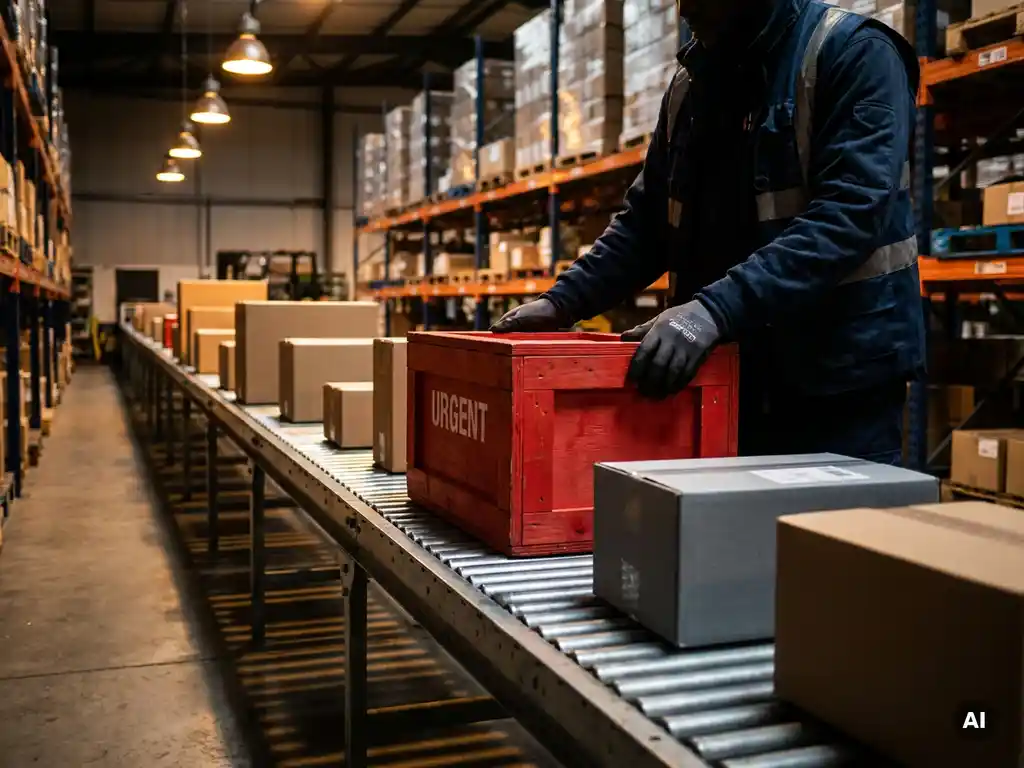
You can add urgent orders without disrupting everything by using re-optimization rather than manual replanning. The key is having a system that can instantly recalculate routes, schedules, or production sequences around the new order, rather than requiring planners to rebuild plans from scratch. The sections below unpack the operational realities, the tools that help, and the decisions that matter most.
Why do urgent orders cause so much disruption in the first place?
Urgent orders cause disruption because supply chain plans are built around assumptions: fixed routes, confirmed capacities, scheduled production runs, and committed delivery windows. Inserting a last-minute order breaks one or more of those assumptions simultaneously, forcing a cascade of adjustments that ripple across transport planning, warehouse operations, and production scheduling.
The disruption is rarely caused by the urgent order itself. It is caused by the rigidity of the plan surrounding it. When a plan has no slack built in, every deviation triggers a conflict. A driver already at capacity cannot take an additional stop. A production line already scheduled through the end of the day has no room for a new batch. A warehouse picking team committed to a dispatch sequence cannot easily reorder without creating errors or delays for other customers.
The more tightly optimized a plan is at the start of the day, the more fragile it becomes when reality changes. This is why supply chain disruption from urgent orders tends to hit hardest in operations that run lean, with minimal buffer time, spare vehicle capacity, or flexible labor allocation.
What does ‘adding an urgent order’ actually require operationally?
Adding an urgent order operationally requires four things: capacity confirmation, route or schedule recalculation, downstream communication, and impact assessment. Each step takes time, and in manual environments, each step introduces the risk of error or conflict with existing commitments.
- Capacity confirmation: Is there a vehicle, machine, or worker available to absorb the order without breaking existing commitments?
- Route or schedule recalculation: Where does the new order fit in the sequence, and what changes need to be made to accommodate it?
- Downstream communication: Who needs to be informed? Drivers, warehouse teams, customers with shifted delivery windows, and procurement if new stock is needed.
- Impact assessment: What is the cost of accepting this order, in time, fuel, labor, or customer satisfaction for other orders that may be delayed?
In operations without digital tooling, this process can take 30 minutes to several hours. By that point, the window for a cost-effective insertion may have already closed, and the planner is left choosing between a costly solution and a disappointed customer.
How do supply chain optimization tools handle urgent order insertion?
Supply chain optimization tools handle urgent order insertion by running re-optimization algorithms in real time, evaluating hundreds or thousands of possible plan configurations and identifying the lowest-cost insertion point. Rather than asking a planner to manually identify where an order fits, the system calculates it automatically and presents a recommended updated plan within seconds or minutes.
Modern supply chain optimization platforms can account for multiple constraints simultaneously during insertion: vehicle load limits, driver hours, delivery time windows, production line availability, warehouse slot capacity, and customer priority levels. This makes automated insertion far more reliable than manual replanning, which typically optimizes for one or two constraints at a time.
Some platforms also offer what-if scenario modeling, allowing planners to see the impact of accepting an urgent order before committing. This gives operations teams the information they need to make a confident decision quickly, rather than guessing at the downstream effects.
What’s the difference between manual replanning and automated re-optimization?
Manual replanning means a human planner reviews the existing plan, identifies a gap or opportunity, and adjusts the schedule or route by hand. Automated re-optimization means an algorithm recalculates the entire plan from the current state, finding the globally best solution given all active constraints. The difference is speed, scope, and consistency.
Manual replanning
Manual replanning is local and sequential. A planner typically fixes one problem at a time, which often creates a new problem elsewhere. It relies on the planner’s memory of the full plan, their familiarity with the constraints, and their ability to hold multiple variables in mind simultaneously. Under time pressure, this leads to suboptimal decisions and overlooked conflicts. For last-minute orders, manual replanning frequently results in overtime, missed delivery windows for other customers, or rejected orders that could have been feasibly inserted.
Automated re-optimization
Automated re-optimization evaluates the entire plan simultaneously. It can identify that a vehicle 40 kilometers away has enough capacity and a route that passes near the new delivery address, even if that vehicle was not the obvious first choice. It applies all constraints consistently, every time, without fatigue or oversight. The result is a plan that is not just workable but genuinely optimal given the new reality. For operations handling frequent urgent orders, the cumulative efficiency gain over manual replanning is significant.
When should an urgent order be accepted versus declined?
An urgent order should be accepted when the cost of fulfillment, including any plan disruption, is lower than the commercial or relational value of accepting it. It should be declined when fulfilling it would cause material harm to existing customer commitments, exceed operational capacity, or generate costs that outweigh the revenue. The decision requires clear data, not instinct.
Factors that support acceptance include available slack capacity in the relevant route or production window, a high-value customer relationship, the ability to shift lower-priority orders without penalty, and a short insertion window that keeps costs manageable.
Factors that support declining include a plan already running at full capacity, existing customers with contractual delivery guarantees, an insertion that would require costly emergency resources, or a pattern in which this customer regularly submits urgent orders that destabilize operations for others.
The most important principle is that this decision should be made with visibility into the actual impact, not based on a general willingness to accommodate. Operations teams that use order management tools with real-time plan visibility are far better positioned to make this call accurately and quickly.
How can planners reduce the frequency of urgent orders over time?
Planners can reduce the frequency of urgent orders by improving demand forecasting, tightening order cutoff policies, and creating feedback loops that surface the true cost of last-minute requests. Most urgent orders are symptoms of upstream problems, not random events, and addressing those root causes reduces their frequency significantly.
- Improve demand forecasting: Many urgent orders arise because customers did not anticipate their own needs accurately. Sharing forecasting tools or data with key customers can help them order earlier and more accurately.
- Enforce order cutoff windows with transparency: When customers understand the operational and cost implications of late orders, they are more likely to plan ahead. Transparent cutoff policies, backed by data on what late orders actually cost, create the right incentives.
- Charge a premium for urgent handling: Pricing urgent orders at a higher rate recovers the operational cost and reduces demand for last-minute requests from customers who are ordering late out of convenience rather than genuine urgency.
- Analyze patterns: Which customers, product lines, or time periods generate the most urgent orders? Identifying patterns allows targeted interventions, such as proactive outreach before a customer’s typical reorder point.
- Build buffer capacity into plans: Deliberately leaving a small amount of daily capacity unallocated creates a structured way to absorb genuine urgencies without disrupting the rest of the plan.
Reducing urgent order frequency is a long-term project, but even modest improvements have a compounding effect on operational stability and planner workload.
How More Optimal helps with urgent order management
We built More Optimal to give supply chain teams the speed and visibility they need to handle urgent orders without losing control of the rest of their plan. Our platform combines real-time re-optimization with intuitive planning interfaces, so planners can evaluate, insert, and communicate urgent orders in minutes rather than hours.
- Automated re-optimization: Our algorithms recalculate transport routes, production schedules, and job assignments instantly when a new order is added, accounting for all active constraints simultaneously.
- What-if scenario modeling: Planners can see the impact of accepting an urgent order before committing, including effects on delivery windows, vehicle capacity, and cost.
- Real-time order management: Our platform gives full visibility into current plan status, making accept-or-decline decisions faster and more accurate.
- Demand forecasting and analytics: Built-in forecasting tools help reduce the root causes of urgent orders by improving planning accuracy upstream.
- Low-code flexibility: Our platform adapts to your specific operational rules, so the re-optimization logic reflects how your business actually works, not a generic template.
If urgent orders are a recurring challenge in your operation, we would be glad to show you how More Optimal handles them in practice. Request a demo and see the platform in action with your own planning scenarios.